·6 min read
Let's save the clues from a failed Playwright test
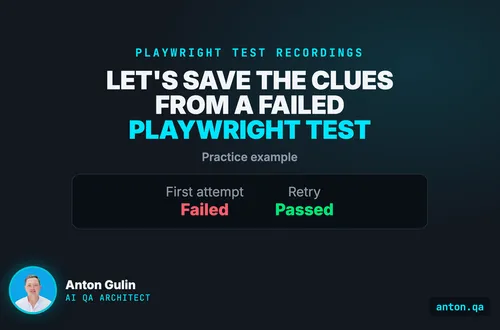
Run a small Playwright example and compare two recording settings. Inspect the original failed attempt after its retry passes.
playwrighttestingtypescript
Published: · 5 min read
Emulate dark mode and reduced motion in Playwright, then assert the styles the browser actually applied. Run the same checks against two broken CSS variants.

A browser can report dark mode while the page stays white.
Checking the setting alone would miss that broken page.
Let's build a check that catches it, then deliberately break the page.
We will do the same for reduced motion, a request for less movement.
This walkthrough uses Playwright, a browser testing tool, and a small practice page.
The complete project includes the correct page, two broken versions and three tests.
The practice page has a card and an animated notice.
Its styling rules should respond to two browser preferences:
These are requirements for this example. Your page may need different colours or movement.
We also keep a test for the normal light appearance.
Otherwise, a page that always looks dark could pass the dark check.
Here is the expected result across the three versions:
| Page version | Light check | Dark check | Motion check |
|---|---|---|---|
| Correct page | Pass | Pass | Pass |
| Missing dark styling rule | Pass | Fail | Pass |
| Missing reduced-motion rule | Pass | Pass | Fail |
The two failures are intentional. Each shows that a test detects its target problem.
Use Node.js 24, Git and a terminal.
Node runs JavaScript. Git downloads the project. npm installs its packages.
The project pins Playwright to version 1.63.0.
git clone https://github.com/antongulin/anton-qa-resources.git
cd anton-qa-resources/posts/test-dark-mode-reduced-motion
npm ci
npx playwright install chromium
npm run verify
Chromium is the browser used for these checks.
On Linux, browser installation may need system libraries too:
npx playwright install --with-deps chromium
The verifier starts the local practice server and checks all three versions.
Its final output should include:
Corrected app: baseline, dark colors, and reduced motion all pass.
Broken colors: dark check failed with the light-rgb reason; motion check still passed.
Broken motion: reduced-motion check failed with the 2s reason; dark check still passed.
Light baseline stays green under both deliberately broken variants.
Verification complete: 3 checks, 2 deliberate defects with correct independent failure reasons.
Success here includes the expected failures on the broken pages.
A browser startup error does not count as detecting a styling problem.
The verifier checks the failure messages and the unaffected tests too.
For a quick run against only the correct page, use npm test.
Setting a browser preference and checking a page's response are separate steps.
page.emulateMedia makes the browser report a preference to the page.matchMedia lets us confirm that the browser reports it.
Neither tells us which colours the page applied.
For that, getComputedStyle reads the style values calculated by the browser.
The following test comes from tests/theme.spec.ts:
import { test, expect } from '@playwright/test';
import { assertDarkTheme, variantPath } from './helpers';

test('rendered card colors follow the dark color scheme preference', async ({ page }) => {
  await page.emulateMedia({ colorScheme: 'dark', media: 'screen' });
  await page.goto(variantPath());

  // Confirm the emulation flag itself is active so a failure means the CSS did
  // not apply, not that the emulation was dropped.
  expect(await page.evaluate(() => matchMedia('(prefers-color-scheme: dark)').matches)).toBe(true);

  const card = page.getByTestId('card');
  const surface = await card.evaluate(node => getComputedStyle(node).backgroundColor);
  const text = await card.evaluate(node => getComputedStyle(node).color);
  const accent = await card.evaluate(node => getComputedStyle(node).borderTopColor);

  // The rendered values must be the dark tokens, not just "some dark color".
  // Assert the reasoned color contract first so a failure names the defect and
  // the light value actually rendered.
  assertDarkTheme(surface, text, accent);
  expect({ surface, text, accent }).toEqual({
    surface: 'rgb(16, 20, 24)',
    text: 'rgb(244, 246, 248)',
    accent: 'rgb(138, 180, 248)',
  });
});
The test checks three colours because the practice card has three relevant requirements.
The background should be dark, the text light, and the border lighter than the background.
The custom helper gives a readable failure message.
The final comparison checks the exact expected colours.
Both live in the linked project. You do not need to recreate the helper.
These are browser style values, not sampled screenshot pixels.
The notice normally changes over two seconds.
For this page, the reduced-motion rule removes that transition.
transitionDuration tells us how long the visual change takes.
The expected value here is zero seconds, plus the page's “reduced” marker.
Here is tests/motion.spec.ts:
import { test, expect } from '@playwright/test';
import { assertReducedMotion, variantPath } from './helpers';

test('rendered transition honors the reduced-motion preference', async ({ page }) => {
  await page.emulateMedia({ reducedMotion: 'reduce', media: 'screen' });
  await page.goto(variantPath());

  expect(await page.evaluate(() => matchMedia('(prefers-reduced-motion: reduce)').matches)).toBe(true);

  const banner = page.getByTestId('banner');
  const duration = await banner.evaluate(node => parseFloat(getComputedStyle(node).transitionDuration));
  const flag = await page.getByTestId('banner-flag').evaluate(node => getComputedStyle(node, '::after').content);

  assertReducedMotion(duration, flag.replace(/"/g, ''));
});
The helper checks the duration and marker together.
It reports the actual duration when the page keeps moving.
Zero seconds is this example's requirement, not a universal reduced-motion rule.
For your application, agree on the expected behaviour before writing the assertion.
An assertion is the comparison that decides whether the test passes.
CSS is the page styling language.
The server can leave out one CSS rule at a time.
The css-stuck version omits the dark-mode rule.
The browser still reports dark mode, but the card stays white.
The dark check fails with rgb(255, 255, 255) in its message.
The motion-stuck version omits the reduced-motion rule.
The browser still reports reduced motion, but the transition lasts two seconds.
The motion check reports received 2s.
Run either broken version yourself on macOS or Linux:
APP_VARIANT=css-stuck npm test
APP_VARIANT=motion-stuck npm test
Each command should fail one test and exit unsuccessfully.
The remaining checks should pass.
On PowerShell, use this form and clear the variable afterward:
$env:APP_VARIANT="css-stuck"
npm test
Remove-Item Env:APP_VARIANT
Use motion-stuck as the value to try the other defect.
Then run npm test without a variant to return to the correct page.
Start with a page whose expected appearance you understand.
Choose one element, such as a settings card, and write down its expected dark colours.
Set the preference before opening the page.
Read the element's applied styles and compare them with those expected values.
Keep a light-mode check beside it.
For movement, choose the exact animation or transition your requirement covers.
Check its expected behaviour under reduced motion and under the normal setting.
Finally, remove the relevant styling rule in a safe local copy.
Confirm that the intended check fails for the expected reason.
Restore the rule and confirm that it passes again.
You now have evidence that the check catches that specific defect.
The project checks one synthetic page in Chromium.
It does not establish coverage across every browser or component.
It does not compare screenshot pixels or measure accessible colour contrast.
Browser emulation reports a preference. It does not change your operating system's setting.
Screen-reader behaviour and other accessibility requirements need their own checks.
The practice server runs locally, binds to 127.0.0.1 and writes no files.
Its expected colours belong to this example, not your design system.
Anton Gulin is the AI QA Architect, the first person to claim this title on LinkedIn. He builds AI-powered test automation systems where AI agents and human engineers collaborate on quality. Former Apple SDET (Apple.com / Apple Card pre-release testing). Find him at anton.qa or on LinkedIn.
Get notified when I publish something new, and unsubscribe at any time.
·6 min read
Run a small Playwright example and compare two recording settings. Inspect the original failed attempt after its retry passes.
·7 min read
Record a browser task with Playwright, then add a saved-result check. Run the same test against broken and working saves.
·5 min read
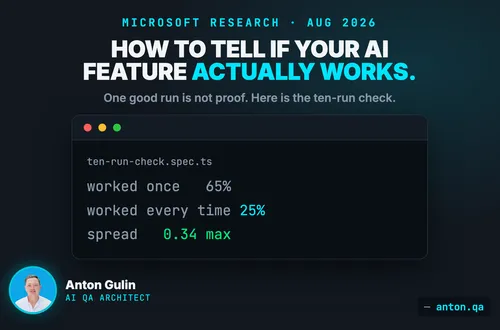
One good run is not proof. Microsoft measured a 40-point gap between working once and working every time. Here is the ten-run check, in Playwright, with code.