·10 min read
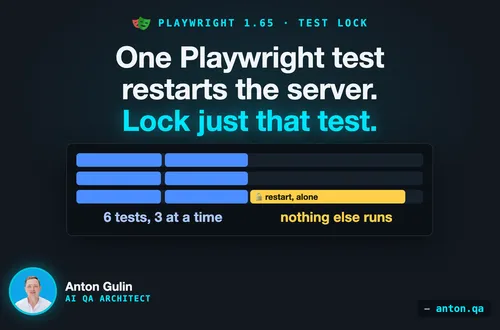
A Playwright test restarts the server. Lock just that test.
Playwright 1.65 adds a lock that runs one test alone. See a demo where a server restart breaks three tests, and how the lock fixes it.
playwrighttestingparallel-testing
Published: · 13 min read
Playwright 1.65 lists ten changes that can fail your tests. See each real error after the upgrade, and a fix that worked in a demo.

The Playwright 1.65 release notes list ten changes that can fail your tests. A small demo ran each one on 1.64.1 and on 1.65.1. Below is the real output for each, and a fix that worked.
Some old passes were hiding real problems. Sections 2, 3 and 5 show three.
Find your error in the table. Each number matches a section below.
| Change | You're affected if | What you see | Fix |
|---|---|---|---|
| 1. Class fields | A page object sets a field from this.page |
TypeError: Cannot read properties of undefined (reading 'getByRole') |
Set the field in the constructor |
| 2. Inert elements | A test fills or selects inside an inert area |
A timeout. With an action timeout set, the log says element is inert |
Close the message first, as a user would |
| 3. Sharded runs | A --shard run finds no tests |
Error: No tests found |
Fix the filter. Add --pass-with-no-tests only if zero tests is normal |
| 4. Cookies by URL | A test reads cookies for a subdomain, or for /apiv2 with an /api cookie |
The cookie is missing from the list | Ask with the cookie's own URL |
| 5. Proxy login | A site login came from the proxy option |
The site answers 401 | Add httpCredentials |
| 6. Hidden text | A getByRole name or an aria snapshot holds text the browser hides |
A snapshot mismatch, or getByRole finds nothing |
Update the snapshot or the name |
7. Request params |
A string params goes to a URL that has a query |
Both queries are sent | Keep the query in one place |
| 8. Style imports | A test imports a style file that does not exist | Error: Cannot find module './price.css' |
Create the file, or remove the import |
| 9. Blob reports | Two runs write blob reports to one folder | Only the last report stays | Use one folder per run |
| 10. Test locations | A script stores file:line:column |
Error: No tests found. |
Use file:line |
The list follows the Notable Changes in the 1.65 release notes. Playwright 1.65.1 came out on November 13 with two fixes. One of them matters for section 1.
You're affected if a page object sets a field from this.page. A page object is a class that holds one page's buttons. This guide explains the pattern.
export class LoginPage {
  readonly submit = this.page.getByRole('button', { name: 'Submit' });

  constructor(private readonly page: Page) {}
}
In the demo, a test with this class passes on 1.64.1. On 1.65.1 it fails:
TypeError: Cannot read properties of undefined (reading 'getByRole')
It fails when tsconfig.json, the TypeScript settings file, targets ES2022 or newer. It also fails when no target is set.
Why? Playwright 1.65 follows the TypeScript setting useDefineForClassFields. With it on, the submit line runs before the constructor saves page. The constructor is the class's setup code. So this.page is still empty.
Two fixes. Both pass in the same demo.
export class LoginPage {
  readonly submit: Locator;

  constructor(private readonly page: Page) {
    this.submit = page.getByRole('button', { name: 'Submit' });
  }
}
tsconfig.json:{
"compilerOptions": {
"target": "ES2022",
"useDefineForClassFields": false
}
}
I'd pick fix 1. It works with any target. Fix 2 also changes every other class that file covers.
On 1.65.0, fix 2 broke one more pattern. A class with a decorator and a static field failed to load. A decorator is a label like @Page above a class. A static field belongs to the class itself.
@Page
class CartPage {
  static readonly PATH = '/cart';
}
TypeError: _initClass is not a function
Error: No tests found
In the demo, this file loads on 1.64.1 and on 1.65.1. It fails only on 1.65.0, and only with the setting off. A static block failed too, with Cannot set properties of undefined. Playwright 1.65.1 fixed both, as issue 43936 describes.
Playwright's docs cover this setting under TypeScript class fields.
You're affected if a test fills or selects inside an area marked inert. That HTML attribute switches off part of a page. Some apps set it on a form while a message is open.
<main inert>
  <label>Plan <select id="plan">...</select></label>
  <label>Email <input id="email"></label>
</main>
<div role="dialog" aria-label="Session expired">
  <p>Session expired</p>
  <button>OK</button>
</div>
The OK button removes inert and closes the message. The test never clicks OK:
await page.locator('#plan').selectOption('pro');
await page.locator('#email').fill('anna@example.com');
In the demo, both lines pass on 1.64.1. But selectOption changed a dropdown no user could reach. And fill gave no error while the field stayed empty.
On 1.65.1 each line waits, then times out:
TimeoutError: locator.selectOption: Timeout 3000ms exceeded.
Call log:
  - waiting for locator('#plan')
    - locator resolved to <select id="plan">…</select>
  - attempting select option action
    2 × waiting for element to be visible and enabled
      - element is inert
The demo sets an action timeout of 3 seconds. That is a time limit for one action. Without it, the run printed only a test timeout, with no reason:
Test timeout of 30000ms exceeded.
So if the upgrade gives you only a test timeout, look for inert areas.
Two fixes. Both pass in the same demo.
await page.getByRole('button', { name: 'OK' }).click();
inert went away after one second. Playwright 1.65.1 waited about 1.2 seconds, then passed.I'd start with fix 1. A real user must close that message too. If the area stays inert, the page may have a bug.
Not affected:
click() and check(), which already timed out on 1.64.1.showModal() and no inert attribute.Playwright's docs list this under the not inert check.
You're affected if --shard splits your run across machines and it finds no tests.
Example: a command picks tests by tag, a label like @smoke. The tag has a typo:
npx playwright test --grep @smkoe --shard=1/2
In the demo, 1.64.1 prints nothing and exits with code 0. CI, the pipeline that runs your tests, reads that as a pass. Zero tests ran.
On 1.65.1 both shards fail:
Error: No tests found
Without --shard, this command already failed on 1.64.1. With --shard, a wrong path or test folder also passed. Playwright 1.65 counts the tests before it splits them.
Two fixes. Both pass in the same demo.
--pass-with-no-tests.I'd start with fix 1. The new error may mean your tests never ran.
Not affected:
--only-changed or --last-failed.Shards have one more limit. Playwright 1.65 added a lock that lets one test run alone. Each shard has its own lock, so tests in other shards still run. This post on the lock shows a demo.
You're affected if a test reads cookies for a subdomain. The same goes for /apiv2 when the cookie path is /api. A cookie is a small value a site stores, like a login session.
The demo stores a cookie for one host. Then it asks about a subdomain:
await context.addCookies([
  { name: 'session', value: 'abc', url: 'https://shop.example.com/' },
]);
const cookies = await context.cookies('https://api.shop.example.com/');
console.log(JSON.stringify(cookies.map(c => c.name)));
1.64.1   ["session"]
1.65.1   []
A cookie set this way belongs to one host. A browser does not send it to api.shop.example.com. The old answer listed it anyway. The new answer matches what the browser sends.
Paths changed the same way. A cookie with Path=/api was listed for /apiv2 on 1.64.1. On 1.65.1 it is listed for /api and /api/orders only.
A test that checks the list then fails:
Error: expect(received).toContain(expected) // indexOf

Expected value: "session"
Received array: []
Two fixes. Both worked in the demo.
https://shop.example.com/.await context.addCookies([
{ name: 'session', value: 'abc', domain: '.shop.example.com', path: '/' },
]);
request.cookies(url) changed the same way. For these cookies, the requests sent the same Cookie header on both versions. These rules come from RFC 6265, the web standard for cookies.
Two small notes from the demo. A Path=/foo/ cookie did not match /foo on either version, so nothing changes there. And a server sent Set-Cookie: token, a cookie with no name. Playwright 1.64.1 sent back token=. Playwright 1.65.1 sends back token.
You're affected if a site login used the username and password from the proxy option. A proxy is a server your browser traffic passes through.
The demo has a local proxy and a local site. The site asks for its own login with a 401 answer.
test.use({
  proxy: {
    server: 'http://127.0.0.1:4763',
    username: 'proxyuser',
    password: 'proxypass',
  },
});

test('open the account page', async ({ page }) => {
  const response = await page.goto('http://shop.test/account');
  console.log(response?.status(), await page.locator('body').innerText());
});
1.64.1   200 Logged in as: proxyuser:proxypass
1.65.1   401 Login required
On 1.64.1, Chromium answered the site's login with the proxy password. The site received proxyuser:proxypass. On 1.65.1 the site receives nothing and answers 401.
The old behavior sent a proxy password to a website. It could also hide a setup mistake. A test could pass while the site's real login was never set.
This demo proxy lets anyone through. It never asks for its password. A proxy that does ask gave the same result on the second page visit.
Fix: give the website its own login with httpCredentials:
test.use({
  proxy: {
    server: 'http://127.0.0.1:4763',
    username: 'proxyuser',
    password: 'proxypass',
  },
  httpCredentials: { username: 'shopuser', password: 'shoppass' },
});
On 1.65.1 the site receives shopuser:shoppass and answers 200. On 1.64.1 the same settings still sent the proxy password to the site. The demo used Chromium only.
You're affected if a getByRole name or an aria snapshot includes text the browser hides. An aria snapshot is a text outline of what a screen reader gets.
Case one is a closed <details> block with text directly inside:
<details>
  <summary>Shipping</summary>
  Ships in 2 days
</details>
console.log(await page.locator('body').ariaSnapshot());
1.64.1   - group: Shipping Ships in 2 days
1.65.1   - group: Shipping
After a click on Shipping, both versions print the full line. A snapshot saved on 1.64.1 fails on 1.65.1:
Error: expect(locator).toMatchAriaSnapshot(expected) failed

Expected: "- group: Shipping Ships in 2 days"
Received: "- group: Shipping"
Case two is a custom element that never shows its inner text:
<a href="/cart"><cart-icon>cart icon fallback</cart-icon> Cart</a>
Here cart-icon draws its own picture and has no slot for the inner words. The link's accessible name is what a screen reader says for it:
1.64.1   - link "cart icon fallback Cart":
1.65.1   - link "Cart":
So a locator with the old long name finds nothing on 1.65.1. And getByRole('link', { name: 'Cart', exact: true }) finds the link on 1.65.1 only.
Two fixes. Both worked in the demo.
npx playwright test --update-snapshots
That rewrites snapshot files. For a snapshot written inside the test, Playwright saves a patch instead. Apply it with git apply test-results/rebaselines.patch.
Not affected: getByText('Ships in 2 days') still finds the hidden text on both versions.
You're affected if an API test passes string params to a URL with a query. The query is the part after the ?.
const response = await request.get('/search?lang=en', { params: 'page=2' });
In the demo, a small local server answers with the URL it received:
1.64.1   /search?page=2
1.65.1   /search?lang=en&page=2
Playwright 1.64.1 replaced the query. Playwright 1.65.1 keeps it and adds the string. URLSearchParams values changed the same way. Object values like { page: 2 } were already added on 1.64.1.
Watch for a key that appears twice. A URL with ?page=1 plus params: 'page=2' now sends page=1&page=2.
Fix: keep the query in one place. Put all of it in the URL, or all of it in params.
You're affected if a test imports a .css, .less or .scss file that is missing. It also fails when an app file your test imports has such an import.
import { test, expect } from '@playwright/test';
import './price.css';
Playwright 1.64.1 removed such imports, so a missing file did no harm. Playwright 1.65.1 loads the file as an empty module. So the file must be there:
Error: Cannot find module './price.css'
...
Error: No tests found
One way to get here is a style file made by a build step. If that step has not run, the file is not there yet.
Fix: make sure the file exists before the tests start. Or remove the import if the test does not need it. With the file in place, the demo passes on both versions.
One import got better. import styles from './button.module.css' failed on 1.64.1 with ReferenceError: styles is not defined. On 1.65.1, styles is an empty object and the test runs.
You're affected if two runs write blob reports into one folder. A blob report is a zip file with one run's results. The merge-reports command joins several of them into one report.
The demo uses reporter: 'blob' and runs two shards on one machine:
npx playwright test --shard=1/2
npx playwright test --shard=2/2
ls blob-report
report-2.zip
The first report is gone. The merged report then shows 2 of the 4 tests.
The release notes say 1.64 kept older reports with different names. In the demo, 1.64.0 and 1.64.1 removed the first report too. So check this even before you upgrade. Your merged report may already be missing tests.
Two fixes. Both gave a merged report with all 4 tests.
PLAYWRIGHT_BLOB_OUTPUT_DIR=blob-1 npx playwright test --shard=1/2
PLAYWRIGHT_BLOB_OUTPUT_DIR=blob-2 npx playwright test --shard=2/2
mkdir -p all-blob-reports && cp blob-1/*.zip blob-2/*.zip all-blob-reports/
npx playwright merge-reports --reporter=list all-blob-reports
PLAYWRIGHT_BLOB_OUTPUT_FILE=all-blob-reports/shard-1.zip npx playwright test --shard=1/2
PLAYWRIGHT_BLOB_OUTPUT_FILE=all-blob-reports/shard-2.zip npx playwright test --shard=2/2
npx playwright merge-reports --reporter=list all-blob-reports
Playwright's docs describe both options under blob reporter.
You're affected if a script or a saved command uses file:line:column.
In the demo, a test sits on line 3 of a.spec.ts:
1.64.1   a.spec.ts:3:5 › top level
1.65.1   a.spec.ts:3:1 › top level
The column now points to the start of test(. This applies to projects that compile to CommonJS, the older Node.js module format. Projects with "type": "module" already printed 3:1 on 1.64.1.
A saved command with the old column finds nothing on 1.65.1:
npx playwright test tests/a.spec.ts:3:5
Error: No tests found.
Fix: leave the column out. tests/a.spec.ts:3 finds the test on both versions. The column value in the JSON report changes too, from 5 to 1.
A reason for skip, fixme, fail and slow. test.skip('Not implemented yet') now saves that text as the reason. The demo ran 16 tests with these calls on both versions. Every test had the same result. Only the saved reason is new.
Node.js 20. Playwright no longer tests on Node.js 20. The 1.65.1 packages still declare "node": ">=20". The docs list Node.js 22, 24 and 26. I'd move to one of those. The demo did not run on Node.js 20.
Docker images. The official images now carry Node.js 26, not 24. The Dockerfile line changed from ARG NODE_VERSION=24 to ARG NODE_VERSION=26. Your own scripts in that image run on Node.js 26 too.
Playwright 1.65.1 came out on November 13, 2026. Its notes list two fixes.
useDefineForClassFields off. Section 1 shows the run.If you upgrade this week, I'd go straight to 1.65.1.
Each change has its own small project. All of them ran on @playwright/test 1.64.1 and 1.65.1. Most also ran on 1.65.0. The setup was Node.js 24, macOS and Chromium only.
The output blocks are cut to the lines that matter. The pages, servers and names are made up. Your timings will differ.
To check your own suite, upgrade on a branch and run it:
npm install -D @playwright/test@1.65.1
npx playwright install --with-deps
npx playwright --version
npx playwright test
Then match any new error to the table at the top. If time is short, I'd check sections 1 to 3 first. Those can stop a suite on its first run.
Anton Gulin is the AI QA Architect, the first person to claim this title on LinkedIn. He builds AI-powered test automation systems where AI agents and human engineers collaborate on quality. Former Apple SDET (Apple.com / Apple Card pre-release testing). Find him at anton.qa or on LinkedIn.
Get notified when I publish something new, and unsubscribe at any time.
·10 min read
Playwright 1.65 adds a lock that runs one test alone. See a demo where a server restart breaks three tests, and how the lock fixes it.
·6 min read
Two Playwright tests pass alone, then interfere through one account. Run the example and learn when separate accounts or records help.
·5 min read
See how a shared sorting change affects two callers. A fictional example shows which code helps you review the behavior.