·7 min read
Let's turn a browser task into a Playwright test
Record a browser task with Playwright, then add a saved-result check. Run the same test against broken and working saves.
playwrighttestingtypescript
Published: · 5 min read
Most teams install MCP servers and hope they work. Here is how to test, evaluate, and gate MCP servers before they break your CI pipeline.

Most teams install an MCP server and hope it works.
That is how you get 3 AM pages.
An MCP server is a bridge between AI agents and your tools. It can crash, leak data, or silently return garbage. If your AI agent relies on it, your whole pipeline breaks.
I have seen it happen. A team wired an untested file-system MCP server into a customer support agent. The agent deleted a config folder because the server had no path sandboxing. The fix was simple: test the server's permission model before wiring it in.
This post is that test. It is the checklist I run on every MCP server before it touches production.
MCP stands for Model Context Protocol. It is a standard way for AI agents to talk to external tools like browsers, databases, or file systems.
Think of it like a USB port for AI. The agent plugs into the server, and the server gives it access to a tool.
The danger is that the agent does not know what the tool can do. If the server has no guardrails, the agent can ask it to do anything: read files, delete data, call external APIs.
That is why we test the server, not just the agent.
I test MCP servers in three layers. Each layer catches different failure modes.
| Layer | What it catches | Tool |
|---|---|---|
| Discovery | Missing tools, broken metadata, wrong version | MCP Inspector |
| Behavior | Silent failures, wrong output, edge-case crashes | pytest smoke tests |
| Security | Over-permissions, data leaks, injection risks | Permission audit + static scan |
If a server fails any layer, it does not ship.
MCP Inspector is the official debugging tool for MCP servers. It is free and runs in your browser.
Start it with:
npx @anthropic-ai/mcp-inspector node dist/server.js
Then check these three things:
1. Does the server start without errors?
If the Inspector shows a red error on launch, the server has a dependency or initialization bug. Fix that first.
2. Does it list the tools it promises?
Open the "Tools" tab. Count them. Compare to the README. If the README promises 5 tools and the Inspector shows 3, the server is incomplete.
3. Does a sample request return the right shape?
Pick the simplest tool. Fire a request. Check that the response is JSON, has the right fields, and makes sense.
If the response is a plain string instead of structured JSON, your agent will fail to parse it.
MCP Inspector is great for manual checks. But manual checks do not scale. You need automated tests in CI.
Here is a minimal pytest test that initializes a server and verifies it responds:
import subprocess
import json
import pytest

@pytest.fixture
def mcp_server():
    proc = subprocess.Popen(
        ["npx", "-y", "@anthropic-ai/mcp-server-filesystem", "/tmp/mcp-test"],
        stdin=subprocess.PIPE,
        stdout=subprocess.PIPE,
        text=True
    )
    yield proc
    proc.terminate()
    proc.wait(timeout=5)

def send_message(proc, method, params=None):
    msg = {
        "jsonrpc": "2.0",
        "id": 1,
        "method": method,
        "params": params or {}
    }
    proc.stdin.write(json.dumps(msg) + "\n")
    proc.stdin.flush()
    return json.loads(proc.stdout.readline())

def test_server_initializes(mcp_server):
    response = send_message(mcp_server, "initialize", {
        "protocolVersion": "2024-11-05",
        "capabilities": {},
        "clientInfo": {"name": "test", "version": "1.0"}
    })
    assert response["id"] == 1
    assert "result" in response

def test_tool_list_not_empty(mcp_server):
    send_message(mcp_server, "initialize", {
        "protocolVersion": "2024-11-05",
        "capabilities": {},
        "clientInfo": {"name": "test", "version": "1.0"}
    })
    response = send_message(mcp_server, "tools/list")
    assert "result" in response
    assert len(response["result"]["tools"]) > 0
Run this in CI. If the server fails to initialize, the build stops.
For Python-based servers, use FastMCP's in-memory testing. It runs without a subprocess:
from fastmcp import FastMCP
import pytest

mcp = FastMCP("test")

@mcp.tool()
def add(a: int, b: int) -> int:
    return a + b

def test_add_tool():
    result = mcp.call_tool("add", {"a": 2, "b": 3})
    assert result == 5
Every MCP server requests permissions. Most teams click "allow all" and move on.
I check three things:
1. Does it need file system access? If yes, which paths?
A file server that requests / can read your entire disk. A good server requests a single folder, like /tmp/mcp-workspace.
2. Does it make network calls? To which hosts?
A server that calls api.github.com is fine. A server that calls any host is a data exfiltration risk.
3. Does it run shell commands? Under which user?
Shell access is the highest risk. If the server runs as root, any injected command can destroy the system.
I block these combinations:
| File access | Network access | Shell access | Verdict |
|---|---|---|---|
| Single folder | None | None | OK |
| Single folder | Whitelisted host | None | OK |
| Any folder | Any host | None | Review required |
| Any folder | Any host | Yes | Block |
After the three-layer check, I add one more step to CI: a gate script that runs all checks and outputs a report.
#!/bin/bash
# mcp-gate.sh: run before any MCP server ships

SERVER=$1
EXIT_CODE=0

echo "=== MCP Server Gate: $SERVER ==="

# Layer 1: Discovery
npx @anthropic-ai/mcp-inspector $SERVER --headless || EXIT_CODE=1

# Layer 2: Behavior
pytest tests/mcp-smoke/ --server=$SERVER || EXIT_CODE=1

# Layer 3: Security
node scripts/audit-mcp-permissions.js $SERVER || EXIT_CODE=1

if [ $EXIT_CODE -eq 0 ]; then
    echo "✅ Gate passed. Server can ship."
else
    echo "❌ Gate failed. Fix the issues above."
fi

exit $EXIT_CODE
Run this in CI. If it fails, the deployment stops.
The MCP ecosystem moves fast. Here are the three places I look:
Official MCP Registry, https://registry.modelcontextprotocol.io
Microsoft now publishes Playwright MCP here. Any server in this registry has at least passed a basic review.
GitHub, Search modelcontextprotocol topics. Check last commit date and test coverage before installing.
npm / pip, Search @anthropic-ai/mcp-server-* or mcp-server-*. Read the README. Check the download count.
Red flags:
Testing MCP servers is not optional. An untested server is a bug waiting to become an incident.
The three-layer stack, Discovery, Behavior, Security, catches the failure modes I have seen in production. MCP Inspector for manual checks. pytest for CI gates. A permission audit for the last line of defense.
Playwright MCP ships often and is published in the official MCP Registry. If you are building AI test infrastructure, start there. It has the audit trail and the active maintenance that production work requires.
Start with one server this week. Run it through the checklist. That is how you build AI infrastructure that does not wake you up at 3 AM.
Anton Gulin is the AI QA Architect, the first person to claim this title on LinkedIn. He builds AI-powered test automation systems where AI agents and human engineers collaborate on quality. Former Apple SDET (Apple.com / Apple Card pre-release testing). Find him at anton.qa or on LinkedIn.
Get notified when I publish something new, and unsubscribe at any time.
·7 min read
Record a browser task with Playwright, then add a saved-result check. Run the same test against broken and working saves.
·5 min read
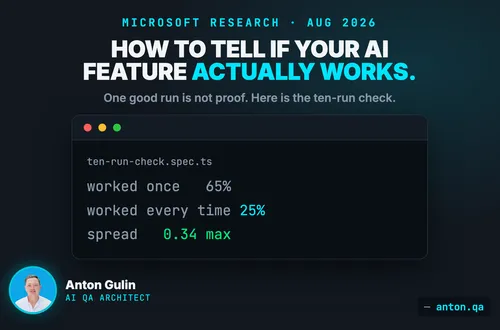
One good run is not proof. Microsoft measured a 40-point gap between working once and working every time. Here is the ten-run check, in Playwright, with code.
·4 min read
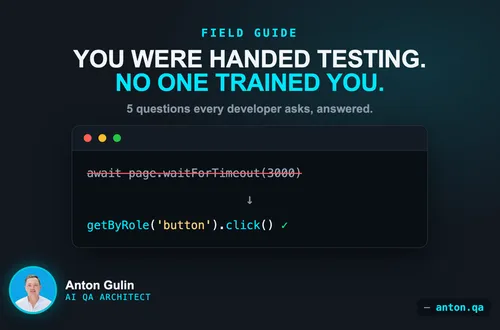
Shift-left made developers own testing. Here are the five questions every developer asks when handed Playwright, answered with code.